![Black Logo.svg]](https://help.novelaweddings.com/hubfs/Black%20Logo.svg)
To connect your CRM to Novela, click Settings in the bottom left navigation, and then click CRM Integration. Select your CRM, and then enter your credentials and click ‘Connect’.
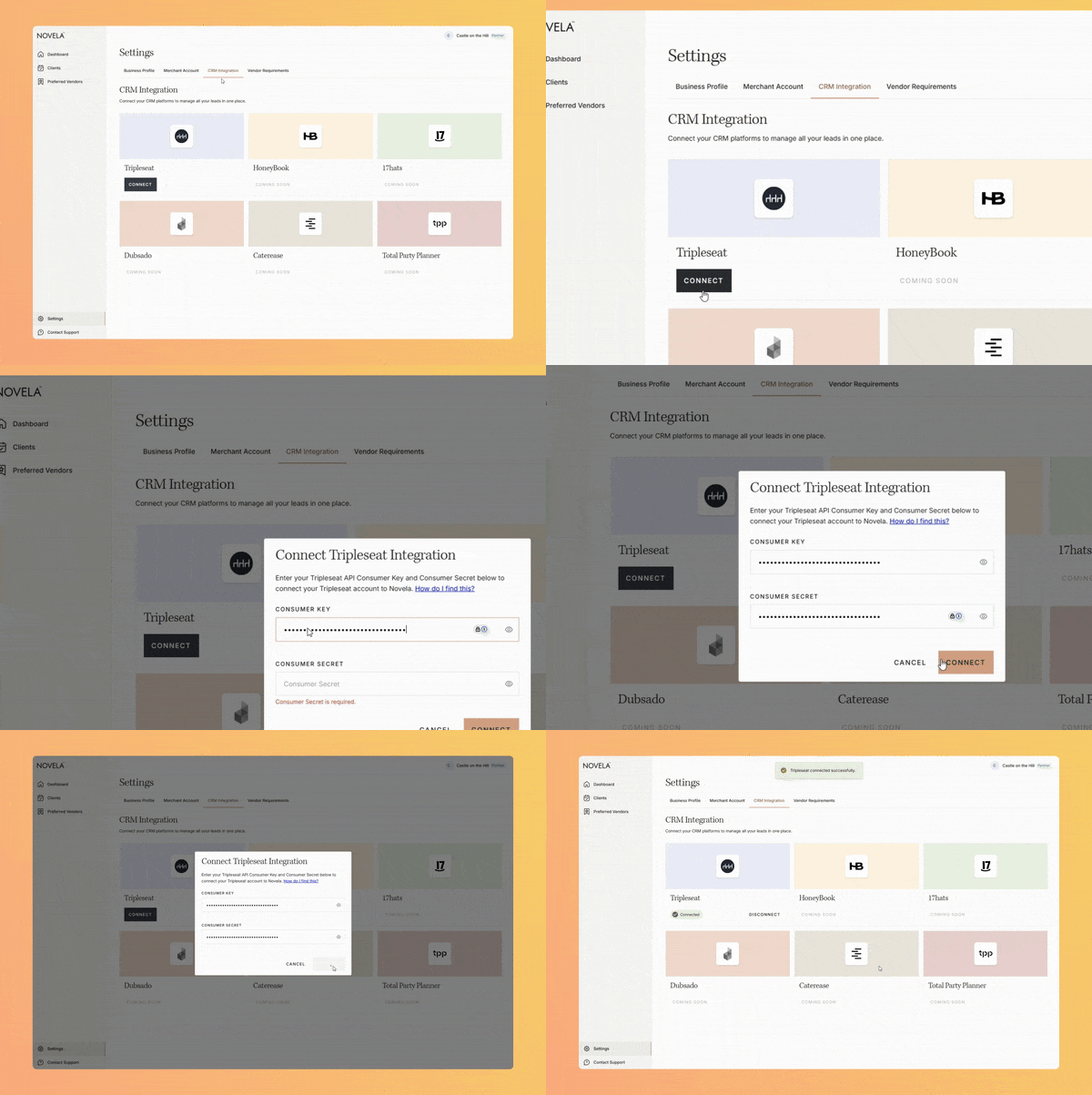
We currently support Tripleseat and are adding more integrations soon. In the meanwhile, you can add clients manually or send an email to hello@novelaweddings.com to have us do it for you.